 |
December 1995 |
 |
|
 |
|
|
|
December 1995 |
| |
|
|
|
|
Recently, the Baltimore Sun ran an article discussing the ongoing effort by Maryland State Agencies to develop Internet access through their own World Wide Web (WWW) pages. That provoked the question, "Why, and how, should State Agencies make their World Wide Web pages accessible to people with disabilities?"
Access to the information and services of State Agencies by citizens with disabilities is important part of our purpose in broadening their availability via the Internet. Maryland agencies have an opportunity to be in the forefront of states aware of and responsive to the needs of the growing number of citizens with disabilities.
To comply with the spirit of the Americans With Disabilities Act, and other federal laws (Sections 504 and 508 of the Federal Rehabilitation Act) pertaining to all organizations receiving federal funds, directly or indirectly, the State of Maryland has provided assurances that specify the accessibility of all office and electronic equipment purchased or utilized by the State.
Maryland is home to the largest international organization of blind persons in the U.S., and also has the fourth largest number of deaf or hard-of-hearing residents. People with disabilities have even more potential to benefit from use of the information highway than citizens who are able to use traditional methods of print and telecommunications. They tend to be innovative and frequent users of electronic communications methods.
People who are blind or have low vision use computer adaptations such as screen readers and refreshable Braille displays. These adaptations can represent textual information but not graphical. Any graphic presented on your web pages should be accompanied by a concise textual description, so that people who cannot see them can read about them.
There are many other issues to be concerned about when designing accessible web pages. Fortunately, very clear guidelines have been developed. For more details please refer to resources listed on MD TAP's Internet and WWW accessibility page at http://www.clark.net/pub/mdtap/access.html
There are many techniques for making Web pages accessible, most of which are transparent for people who use a traditional computer. It is incredibly easy to incorporate these adaptations, especially when you are creating new pages.
For example, to display the Maryland State Flag, you may code:
<img src="mdflag.gif">To make this graphic accessible (at a minimum) all you would need to do is this:
<img alt="State Flag of Maryland" src="mdflag.gif">
For more guidelines on how to code accessible HTML please refer to MD TAP's page listed above.
If a subcontractor is designing your pages, it is just as important that these guidelines are known and applied. DO NOT ASSUME that programmers are familiar with this issue; some are and some are not.
If you are not yet connected to the net and would like printed copies of the accessibility guidelines mentioned above, or if you have any other questions, please feel free to call Taylor McConnaughhay at 410-554-9212 or email: taylorm@epfl1.epflbalto.org.
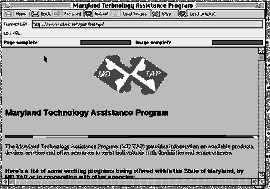
Caption:
MD TAP's WWW Home Page, at URL:
http://www.clark.net/pub/mdtap/, includes graphics as well as photos which are described for users who need audio description.
 |
 |
 |
 |
 |
 |
 |
| |
|
|
|
|
|
|